
VidMage AI is not only a video generator. It is a video generating program that packs in creating videos, generating images, editing tools, face-swapping, effects with AI, and sound features all bundled into one platform. You begin with a text prompt, image, or an existing video, then produce your new content. As at the date of publication (October 2026), VidMage website gives a total of 47 creative tools and 28 video/image models.
So, what can VidMage AI actually do? This review explains its main features, pricing, tools, and practical uses in simple terms.
What Is VidMage AI?
VidMage is an AI-powered creative platform for making and editing visual content. It was originally known for face-swapping tools, but it now covers a much wider range of AI features.
For example, you can create a video from text, animate a photo, change the style of an existing video, generate images, remove objects, create AI voices, and more. Vidmage
The platform is useful for creators, social media users, marketers, and anyone who wants to make visual content without doing everything manually.
Main VidMage AI Features
VidMage has a large selection of tools. However, its main features can be grouped into a few simple areas.
1. AI Video Generation
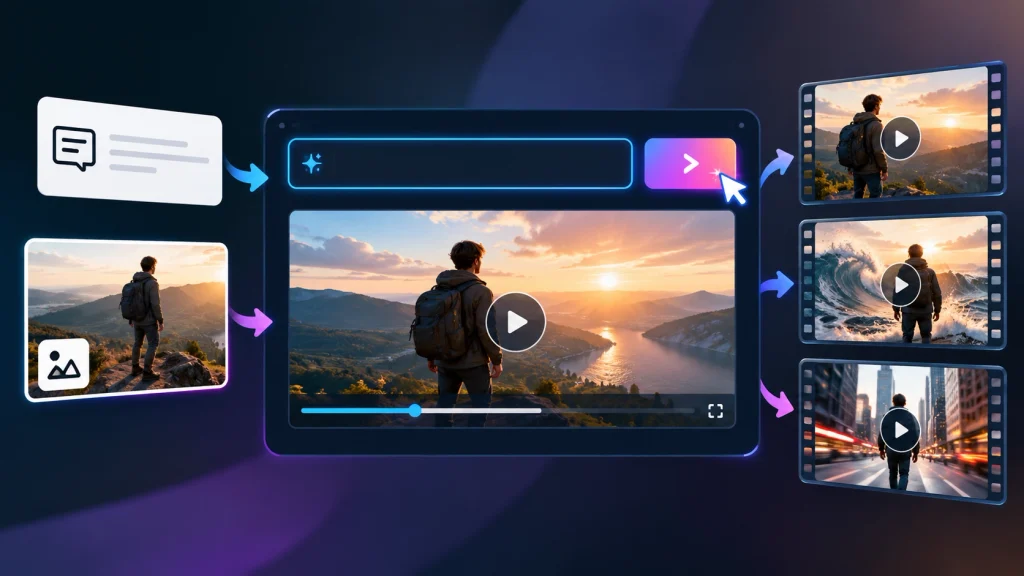
One of the main features is AI video creation.
You can describe a scene with text and let the AI generate a short video. You can also start with an image and add movement to it.
The platform currently supports:
- Text-to-video
- Image-to-video
- Video-to-video
- Video enhancement
- Video upscaling
- Video extension
- Video background removal
- AI subtitles
- AI lip sync
This gives users several ways to create content. For example, a product photo can become a short promotional clip. Likewise, an existing video can be given a different visual style.
2. Image-to-Video
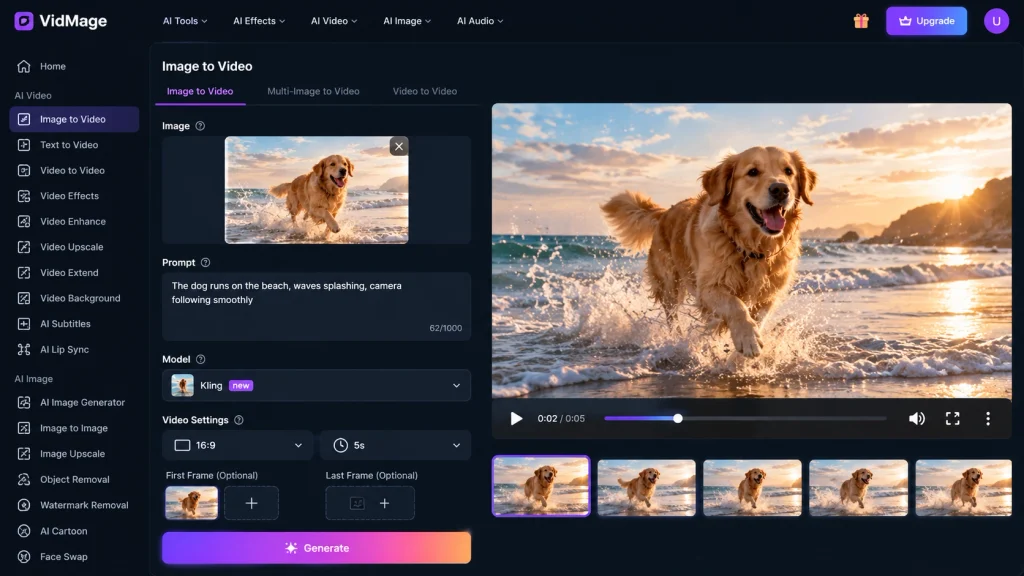
The image-to-video feature can help if you have a photo and want to create a video with motion.
You upload the picture, describe what would happen in motion, choose video parameters, and produce a video. Additionally, VidMage provides the option to include an initial and perhaps a terminal picture in the image-to-video process.
You can use this tool with photos of people, art images, product images, or other still images.
3. Video-to-Video
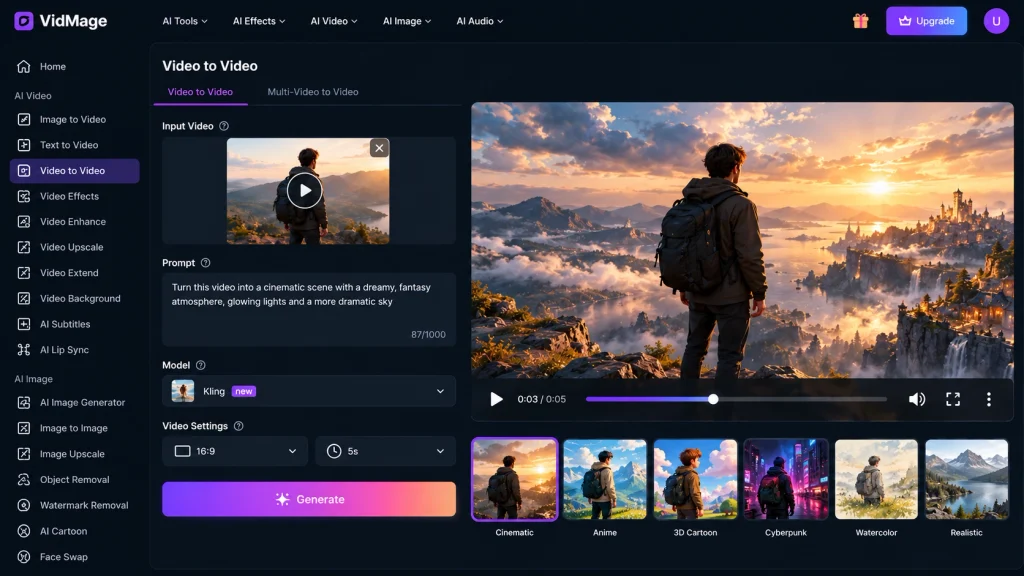
VidMage is also able to work with a pre-existing video.
Rather than starting from scratch, you have the ability to use a video you have previously created to create a more visually interesting video by changing various effects.
As a result, creating a brand new video may not always be necessary.
Image Creation and Editing
VidMage not only deals with video creation but also image creation and editing. The VidMage image creation tools consist of text-to-image and image-to-image generation, where one can describe the image desired or upload an existing image and ask the AI to modify it. Other features included in the VidMage image tools are the following:
- AI image generation
- Image-to-image re-editing
- Image upscaling
- Object removal
- Watermark removal
- Cartoon creation
- Face swapping
VidMage also allows users to choose the style and aspect ratio of the videos making it easy to prepare different media for different content.
Face Swap and AI Effects
Face Swapping and AI Effects
Face swapping continues to play an important part in VidMage.
This platform provides face swapping capabilities for photos, videos, and GIFs. The platform also supports multi-face clips for mult-face interventions containing several people at once.
AI effects are:
- AI Talking Photo
- Photo Dance
- AI Cartoon Generator
- Video to cartoon
- Motion Control
Motion control draws interest. The latter capability is the one that allows you to take the reference video and control the movement of the image or character using the source video.
Keep in mind that you can only use the face-swapping tools with images and videos that you own or have executed conforming agreements to use. VidMage points out that harmful, misleading, and explicitly harmful uses are not allowed.
AI Audio Features
VidMage also includes several audio tools.
AI text-to-speech can convert written text into audio, and voice cloning as well as voice generation tools are also available.
Thus, you can create more components of your video project on the same platform, without having to jump between multiple services.
Which AI Models Does VidMage Support?
Another useful feature is the model selection. VidMage is that it combines many AI models. Currently, you can find models like Kling, Seedance and Sora 2 for videos, and GPT Image, Midjourney Image and Grok Image for images. This allows users to have freedom of choice. Rather than using just one single model, you can select your preferred AI model depending on the type of result.
VidMage AI Pricing
VidMage has a free option but it has limits in terms of use.
The current pricing page lists these plans:
| Plan | Current price | Credits |
| Free | $0 | No monthly credits |
| Monthly | $9.99 first month, then $14.99/month | 400/month |
| Yearly | $69.99 first year, then $99.99/year | 400/month |
The free plan allows a limited number of face swaps of images, videos, and GIFs daily. Paid plans come with increased limits and extra features.
The company also sells credits to its regular customers for credits. Credit usage depends on the services used. For example, for photo face swap, the customer must pay 1 credit per face swap and 1 credit per second for video facings.
However, the AI video will cost many more credits. At present, AI video generation costs around 10–35 credits per second depending upon various parameters and models in use.
Should You Use VidMage AI?
VidMage is a good option if you want several different AI creative tools all in one location.
The best part of VidMage is variety. You can create videos, images, edit your media, test out more than one AI model, create audio-generated content, and do face-swap all from the same account.
One of the coolest things about VidMage is that you can immediately start using the service without paying for it. However, if you want to create multiple videos, you need to be careful with credit consumption since some of the tools will eat through credits quickly.
In summary, VidMage AI is perfect for content creators looking to experiment with AI video, image, and audio tools from one account without needing to sign up for multiple different services.